
Your AI coach for
home workouts
Train without being tied to a coach's schedule or gym memberships. We've put together effective exercises that need no special equipment — a mat is enough. Pick exercises for your goals, and the app will analyze your technique and tell you what to fix.
With Trexana, home workouts are comfortable, effective and accessible — you can:
Train whenever it suits you
The app also works offline.
Work toward different goals
Both individual exercises for every muscle group and ready-made complexes are available.
Choose a difficulty level that matches your shape
There are exercises and complexes for both beginners and experienced athletes.
Stop worrying about technique
The app analyzes your movement and gives you pointers on what to watch, right after the set.
Move safely
Every technique is described in detail with body biomechanics in mind.
Make training part of your life
Set workout reminders for fixed days and times.
Track your progress
After each workout you get a technique review and a comparison with previous weeks.
Become part of the community
Share your results and compete in a safe space — join virtual challenges.
From picking an exercise to visible progress
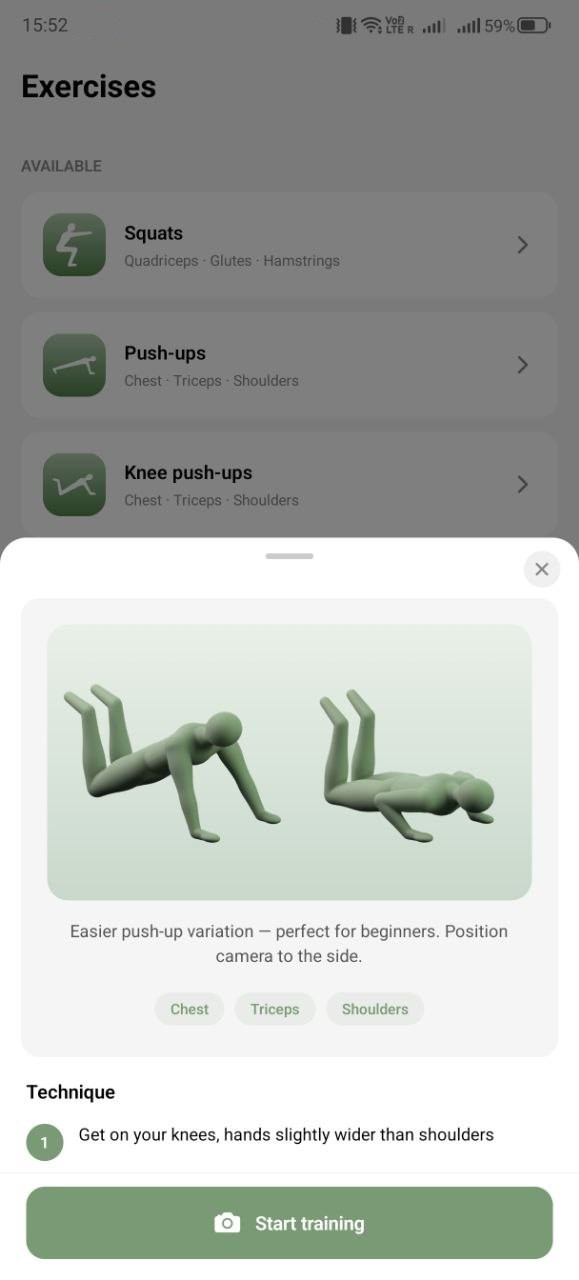
Pick an exercise
Fourteen movements for every muscle group — from squats to dead bug. Each comes with an illustration and step-by-step technique: how to stand, what to do and where to put the camera. No need to google “how to do it right” — it's all inside.
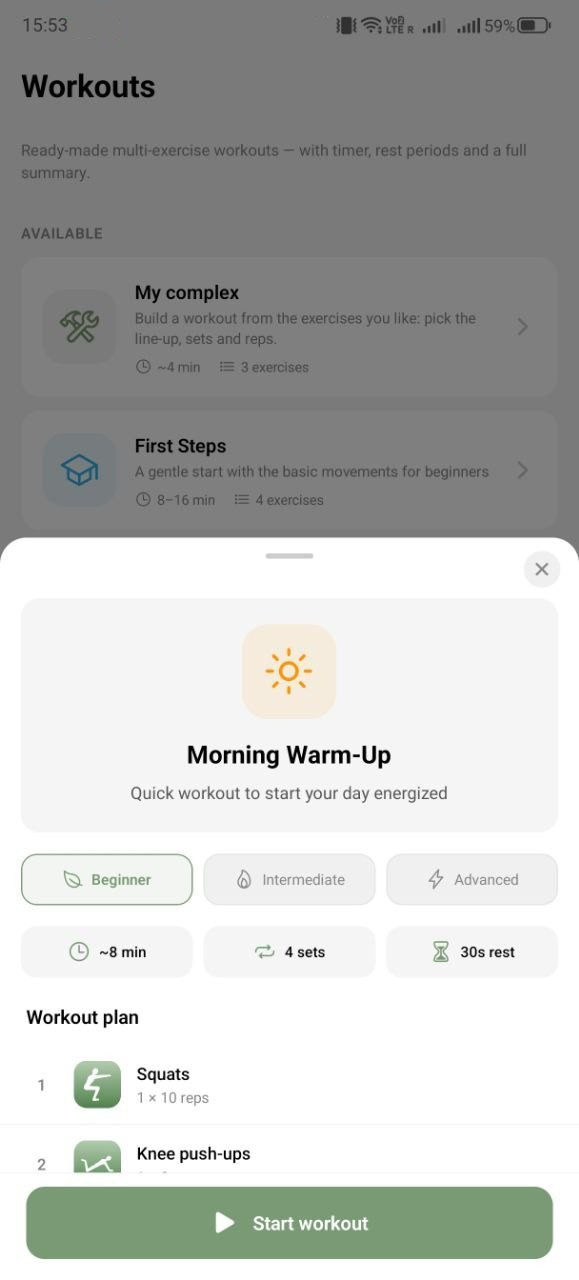
Or take a ready-made complex
Twelve programs for your goal and time of day — from “First Steps” for beginners to “Intense”. Timer, rest between sets and a workout summary: the app guides you, no need to plan the structure yourself.
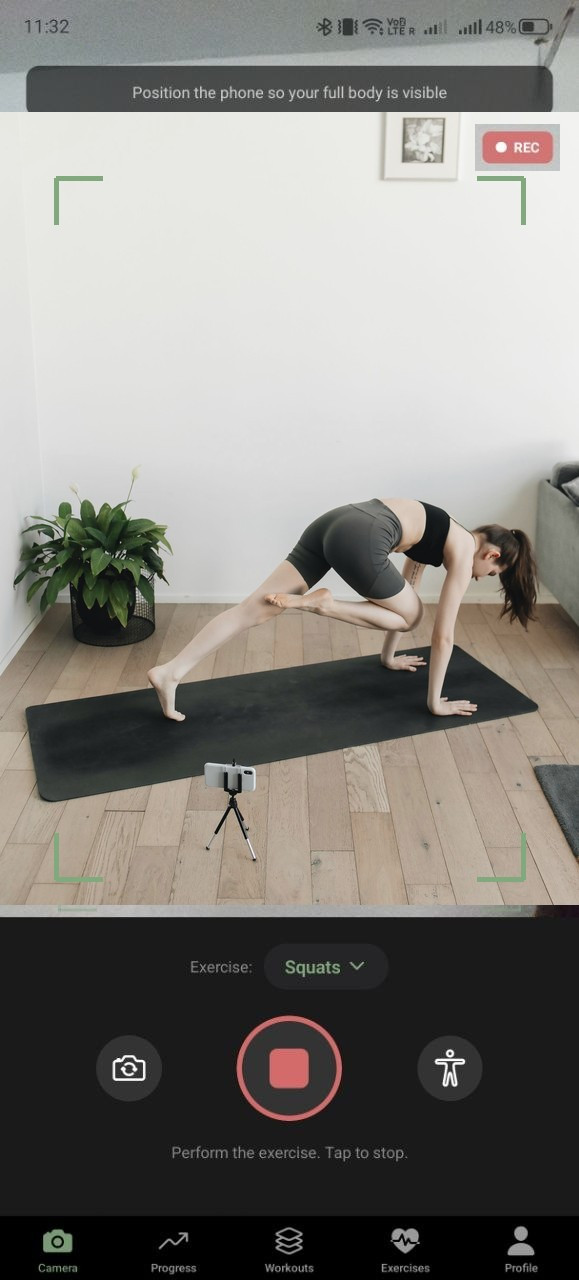
Step into the frame and train
Set your phone down — the camera finds your body and shows you how to stand. Then just do the exercise: the app tracks your body's key points in every frame right on the device, and the video never leaves it.
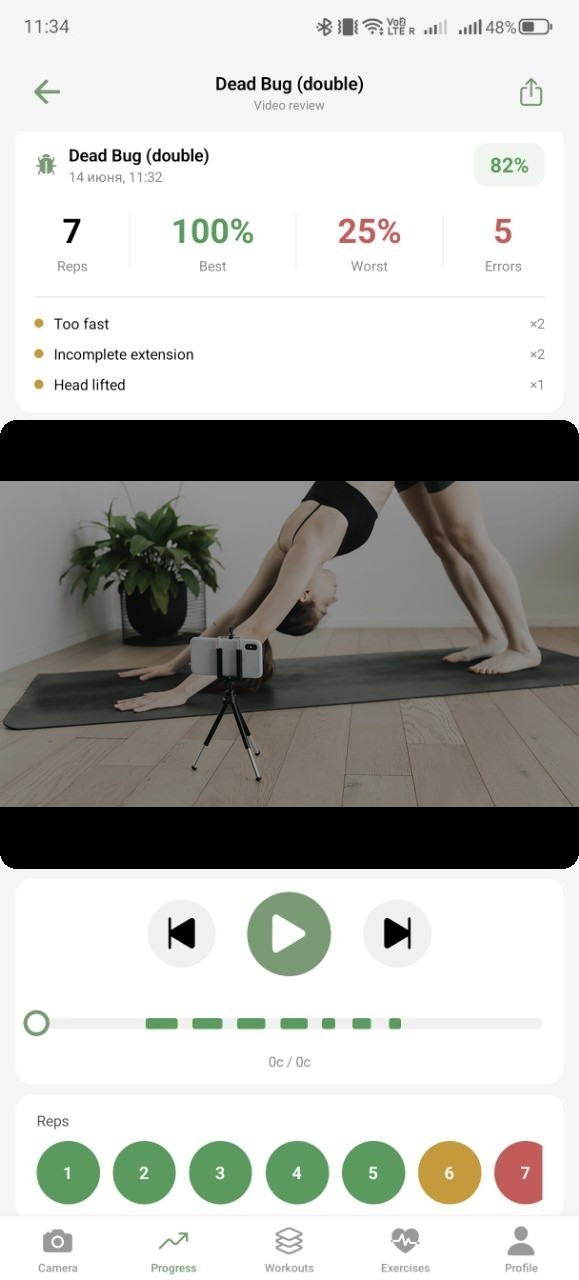
Get a technique review
Right after the set — a score: how many reps counted, which was best and where an error crept in. You can replay every rep on video and see with your own eyes what the analyzer meant.
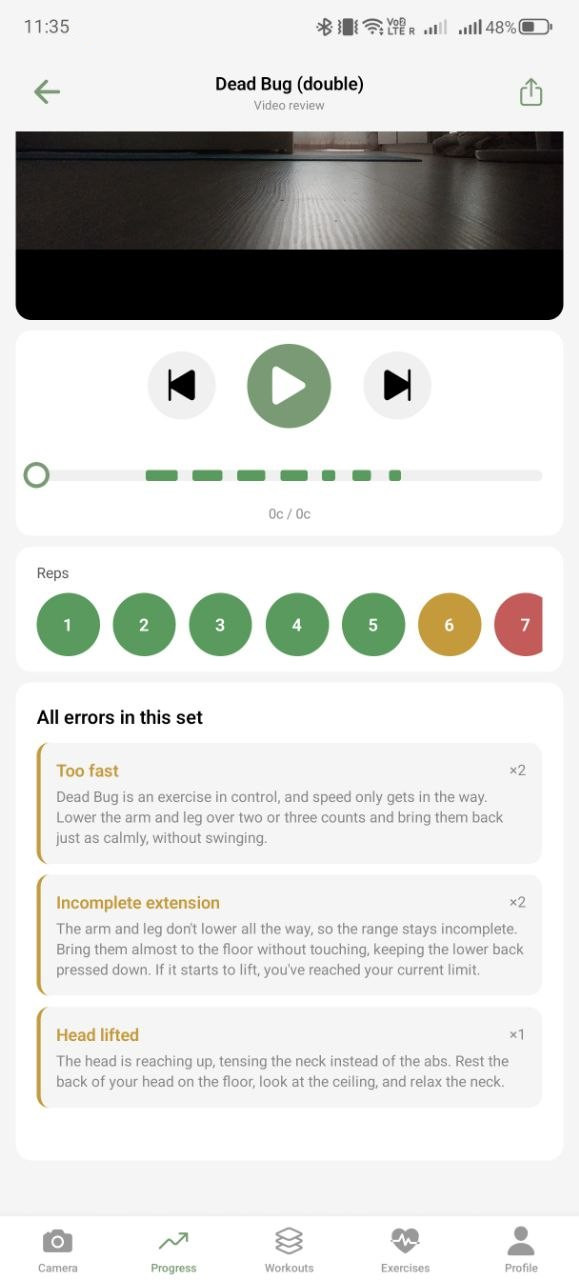
Read the hints and fix it
Every error comes with a plain-language explanation and a concrete fix: not “biomechanics violated” but “lower your arm and leg over two-three counts, without swinging”. Your technique improves set by set.
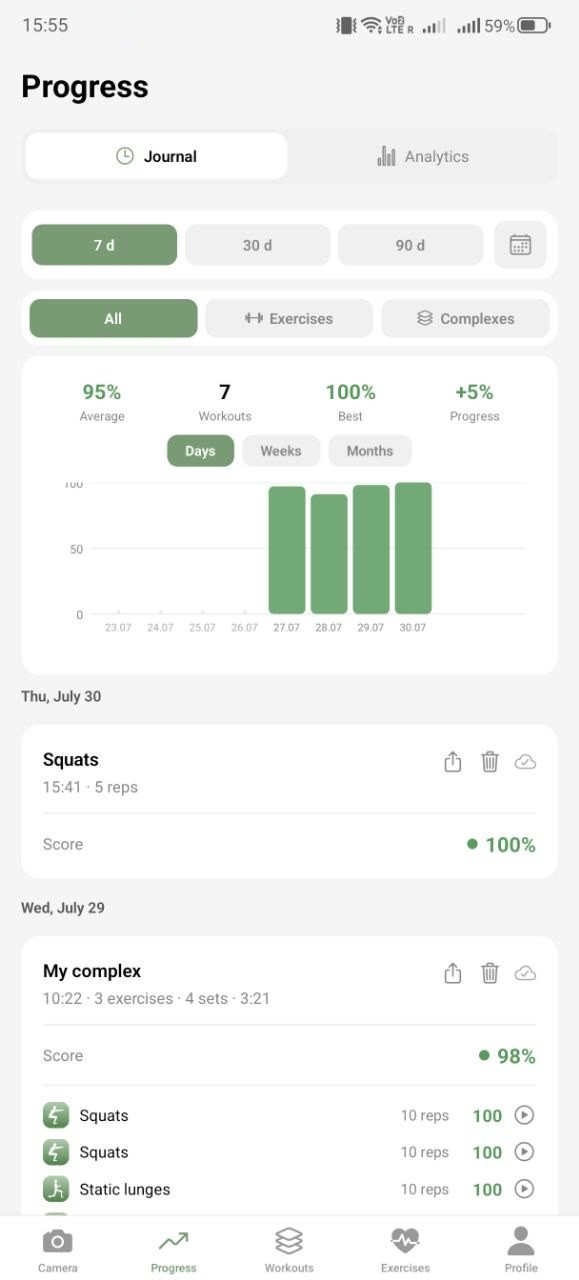
Watch your progress
The journal keeps every workout, and charts show your trend over a week, a month and ninety days. You see what matters — that you're getting better. That's what keeps the habit going.
FAQ
Is the video really never uploaded?
Yes. Pose detection runs right on the device, and only the numeric result goes to the server — technique scores, error types and joint angles, not the video stream and not the frame-by-frame body point coordinates. It's easy to verify with any network analyzer: the app generates no video traffic during a workout — details in the Privacy Policy.
How accurate is the technique analysis?
The algorithm is calibrated for each of the 14 exercises and accounts for your individual body proportions. Accuracy still depends on filming conditions — lighting, camera angle, whether the whole body is in frame — so the app can miss an error or flag one that isn't there. It's an assistive tool: a “good technique” rating doesn't mean an exercise is safe for you, and the decision to continue or stop remains yours — more in the Health Disclaimer.
What filming conditions do I need?
Ordinary room lighting is fine — the main thing is that your whole body fits in the frame, about 2×2 meters of free space. It's best to place the camera at belly or knee height, at an angle that captures the whole body during the movement. Before you start, check that the space is free of obstacles, the floor isn't slippery and the phone is standing securely.
Do I need any equipment?
No — all Trexana exercises are bodyweight-based, so to start, all you need is a phone and a bit of space in front of the camera. If you like, you can use whatever's at home — books, water bottles, a chair — but that's optional. Whatever you use, make sure it's stable and in good condition: the app doesn't see your equipment, and its condition is on you.
Is it suitable for a complete beginner?
Yes. The “First Steps” complex is designed for people with no experience: basic exercises at a gentle pace. Technique analysis is especially useful for beginners — it spots mistakes that are hard to see yourself, before they turn into habits. One thing first: if you've never trained regularly or are coming back after a long break, get a doctor's go-ahead before you start — the Health Disclaimer lists when that's needed.
Is it safe to train by the app's hints?
The hints are about technique only — they don't replace a coach or a doctor and never override medical advice. Trexana is for adults 18 and over in good general health. If you have a back, joint or heart condition, a recent injury, a chronic illness, or are pregnant or recently gave birth, consult a doctor before starting. And if something hurts, you feel dizzy or get chest pain, stop right away regardless of what the screen says — the full list is in the Health Disclaimer.
What devices does the app run on?
Trexana is available on Android; the iOS version is in preparation. For stable real-time pose detection, a device no older than 4–5 years works best — on older models the analysis may lag.
What's free, and can I cancel the subscription?
The free plan includes analysis of three exercises per day; history, progress and programmes are not limited. Pro removes the daily limit. The subscription is sold by Google Play or the App Store and is cancelled there, in your store settings, at any time — you keep Pro until the end of the period you've already paid for. Details in the Subscription Terms.